|
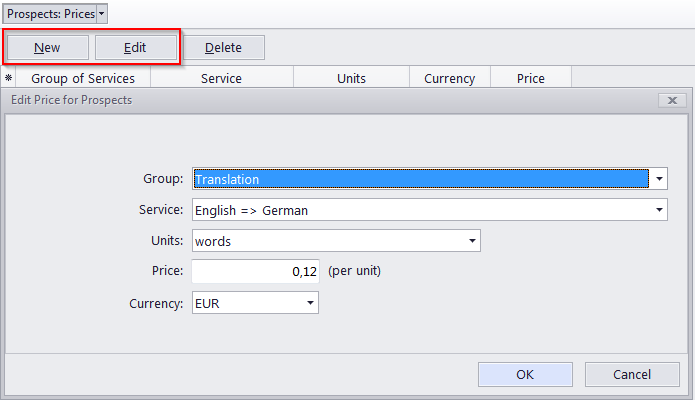
To add or edit a price, click the New/Edit button on the Prices tab of the Prospect window to create/edit an individual price, or in the Prospect Prices window to create/edit a general price.
Prospect prices in TO3000 3D+ have the following parameters: Group - you can select any of the groups of services available. To add or edit a group of services please open Business Settings in the Backstage view, and select the Groups of Services section. Service - each group of services contains a separate list of services. Before selecting a service, select the group of services first. To add or edit a service please open Business Settings in the Backstage view, and select the Services section. Units - prices in TO3000 3D+ are quoted per certain units. Price can only be applied to a Prospect Draft Job with its volume in the same units. To add custom units please open Business Settings in the Backstage view, and select the Volume Units section. Price (per unit) - To add currencies to view open Business Settings in the Backstage view, and select the Currencies section. To configure exchange rates between your base currency and other currencies, open Business Settings in the Backstage view, and select the Exchange Rates section.
See also:
|